

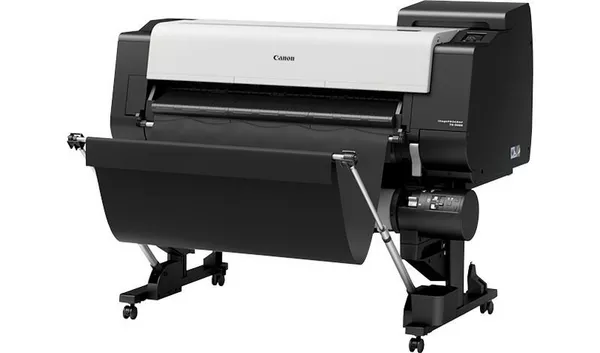
Canon IPF700 Series, IPF800 Series & TX3000 Error Codes: Reference Guide
Canon IPF700 Series
U052 – Paper Jam – This error indicates that there is a paper jam inside the printer. Check the paper path and remove any stuck paper carefully.
U053 – Paper Feed Error – The printer had trouble feeding the paper properly. Check the paper tray and make sure the paper is loaded correctly and is not wrinkled or damaged.
U054 – Paper Skew Error – This happens when the paper is fed in at an angle. Adjust the paper to make sure it is aligned straight.
U055 – Cutter Error – Indicates a problem with the cutter mechanism. This could be a jam or the cutter might need cleaning or replacement.
U071 – Ink Cartridge Error – The printer is having issues detecting or using the ink cartridge. Check if the cartridges are installed properly and not empty.
U075 – Print Head Error – This points to a problem with the print head. It may need cleaning or replacement if the problem persists.
U080 – Main Motor Error – A mechanical error related to the main motor. This usually requires professional servicing.
U081 – Sheet Feed Motor Error – Indicates an issue with the sheet feed motor, which feeds paper into the printing mechanism.
If you encounter an error code not listed here or need specific instructions on how to resolve these problems, please contact us at 866-598-7300.
Canon IPF800 Series
Printhead Cleaning Required “PHead needs cleaning. Press Online to clear error.” -Perform a printhead cleaning. If the message persists, consider replacing the printhead.
Paper Size Not Detected “Paper size not detected.” – Lift the release lever and reload the paper.
Leading Edge Detection Error “Leading edge detection error.” – Lift the release lever and align the leading edge of the paper with the orange line.
Printhead Adjustment Failure “Cannot adjust printhead.” – Press the Online button to clear the error and attempt to readjust the printhead.
Unsupported Paper Size for Printing “Cannot print as specified.” – Replace the current paper with A4/Letter (vertical) or larger-sized paper.
Paper Feed Issues “Cannot feed paper.” – Remove any jammed paper and press the Load/Eject button. (manualslib.com)
Unsupported Paper Type “This paper cannot be used.” – Check the supported paper sizes and use an appropriate paper type.
Paper Loaded Askew “Paper loaded askew.” – Lift the release lever and reload the paper correctly.
Printhead Nozzle Issues “Printhead found to have many non-discharging nozzles during a non-discharging inspection (printing paused).” – Clean the printhead and identify the non-discharging nozzles. If the issue persists, replace the printhead.
Paper Edge Detection Errors “Unable to detect the leading end of paper.” “Unable to detect the trailing end of cut sheet.” “Paper (right) edge detection error.” “Paper (left) edge detection error.” – Check the paper for smears or interferences from outside light. Clean the printhead if necessary.
If you encounter an error code not listed here or need specific instructions on how to resolve these problems, please contact us at 866-598-7300.
Canon TX-3000
4801: General printer error. Turn off the printer, wait a moment, then turn it back on.
6820: General printer error. Turn off and unplug the printer for at least 10 seconds, then power it back on.
6900: Printer error. Turn off and unplug power cord for 10 seconds, turn back on.
6804: Paper feed error. Check paper loading and remove any paper jams. Restart printer.
6001: Ink cartridge issue. Check ink cartridges for proper installation and ink levels.
4100: Cutter error. Clear any paper stuck in the cutter area and restart the printer.
5102: Media jam. Remove the jammed media carefully, reload properly.
5060: Media feed error. Check media path for obstructions; reload media correctly.
2147: Communication error. Verify cables and network connection; restart printer and computer.
1113: Print head initialization failure. Turn off printer, wait, turn on again.
If you encounter an error code not listed here or need specific instructions on how to resolve these problems, please contact us at 866-598-7300.
Previous post
Ricoh Plotter Error Codes: Reference Guide
Next post
KIP Error Codes: Reference Guide
