

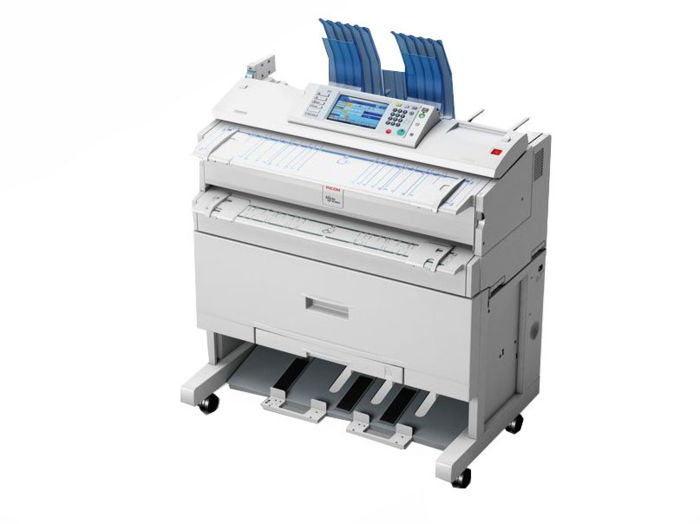
Ricoh Plotter Error Codes: Reference Guide
- Paper Jam (Error Code: E001, E002) – Open the designated panels and carefully remove the jammed paper. Check the whole paper path. Reload paper properly.
- Out of Paper (Error Code: E003) – Load new paper roll. Make sure it is installed correctly and the sensors can detect it.
- Ink Supply Low or Empty (Error Code: E004, E005) – Replace the ink cartridge or refill ink tanks. Follow the model-specific replacement instructions.
- Print head malfunction or clogged nozzles (Error Code: E006) – Run a print head cleaning cycle.
- Cover Open (Error Code: E007) – Close all covers firmly; check if any sensor is blocked.
- Output Tray Full or Paper Exit Jam (Error Code: E008) – Clear jammed paper and empty the output tray.
- Communication Error (Error Code: E009) – Check cables and wireless connections. Restart devices. Update or reinstall drivers.
- Overheating Warning (Error Code: E010) – Turn off the plotter to cool down. Ensure proper ventilation around the device.
- Media Sensor Error (Error Code: E011) – Reload media properly and ensure sensor areas are clean.
- General Error or Unknown Code – Various hardware or software faults. – Power cycle the plotter. Check for firmware updates. Refer to the user manual or support for exact details.
If you encounter an error code not listed here or need specific instructions on how to resolve these problems, please contact us at 866-598-7300.
Previous post
HP DesignJet Troubleshooting
